Private beta · Apple silicon Macs

Your coding agents,
in one native app.

Run Claude Code, Codex and Pi side by side on your Mac. Every turn ends in a checkpoint, every command waits for your say, and any session can move to the cloud and back.

  • Claude Code
  • Codex
  • Pi
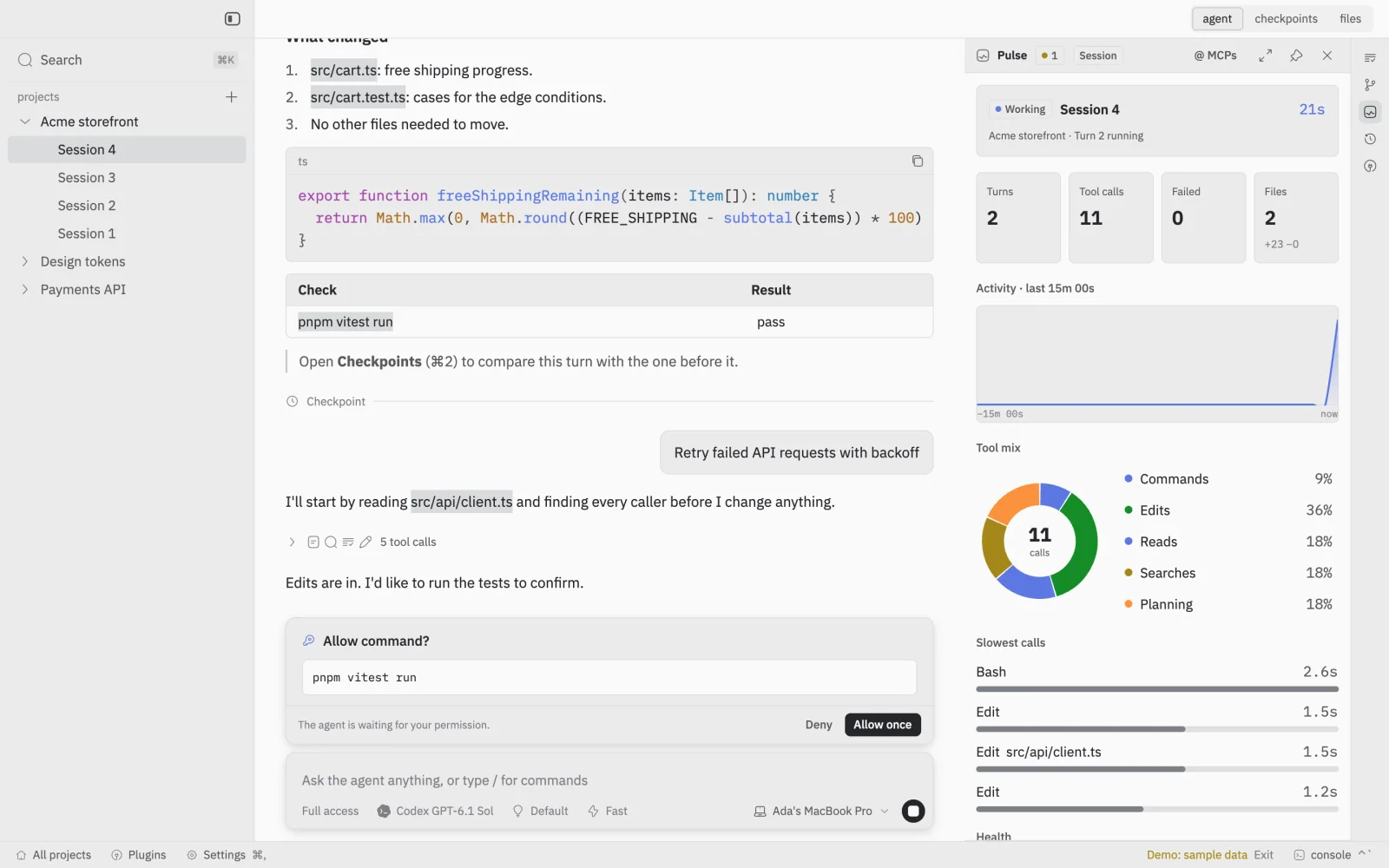
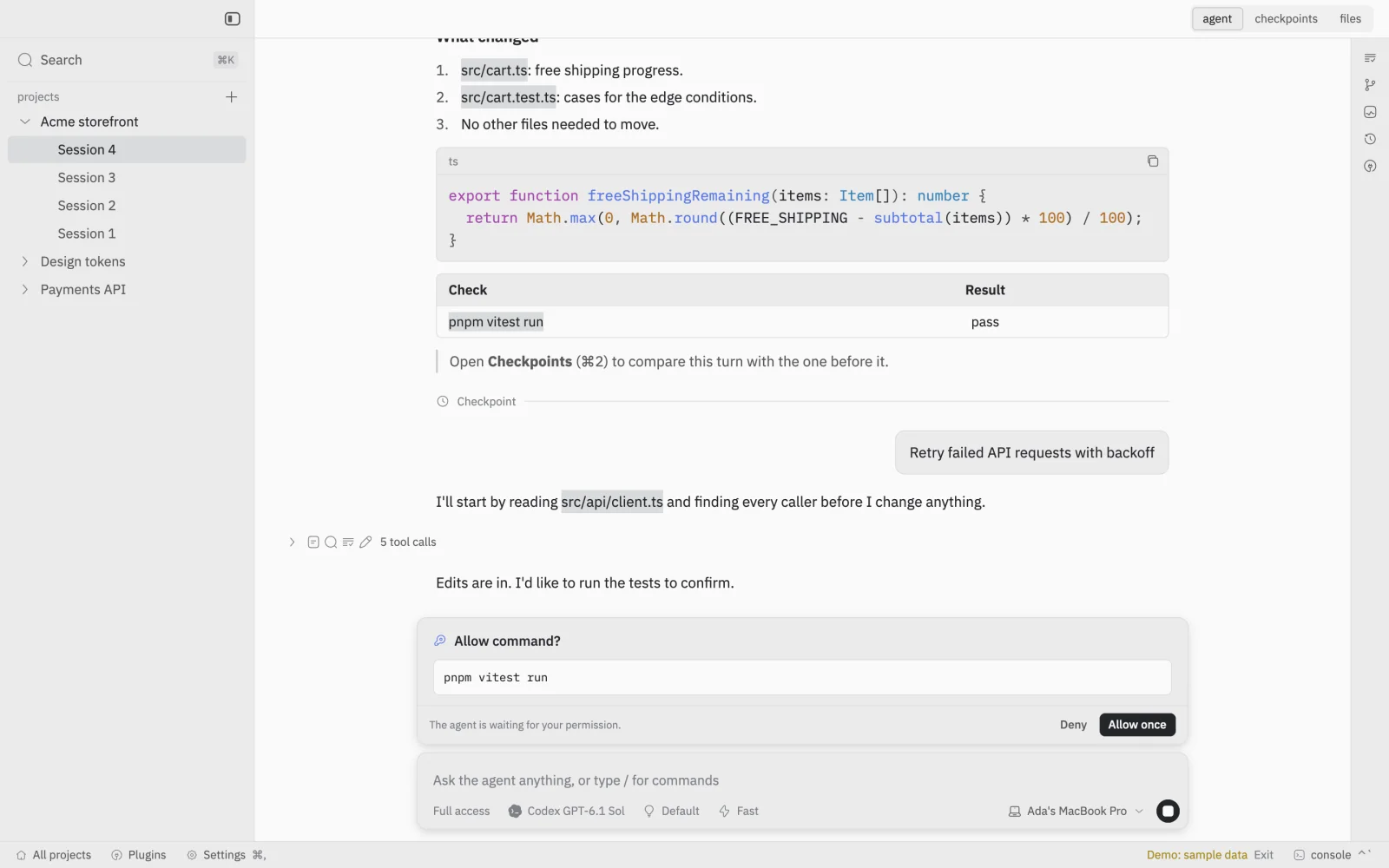
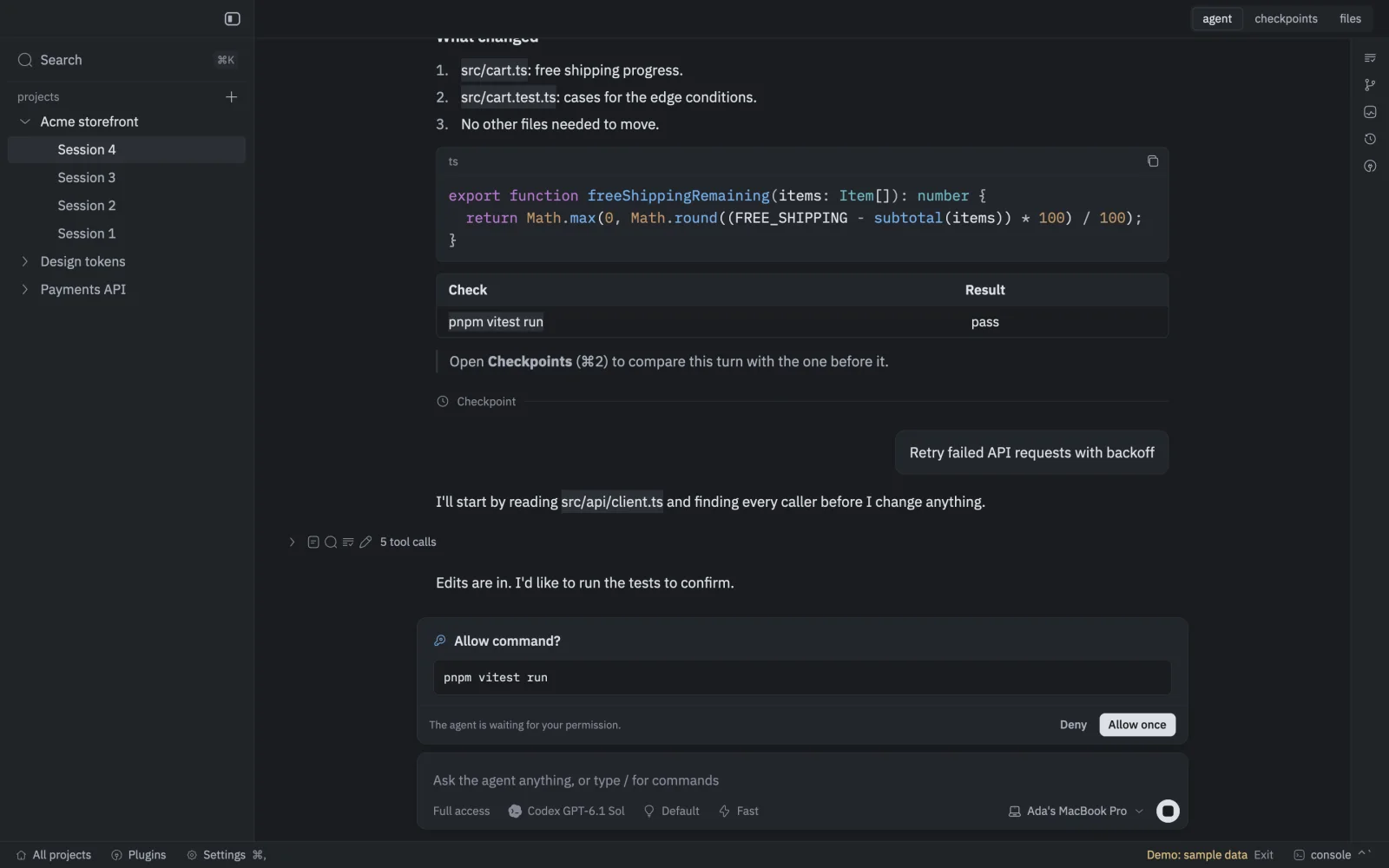
A GetBranchIt session: the agent's summary of a change, a saved checkpoint, and a request to run pnpm vitest run waiting for Deny or Allow once.A GetBranchIt session: the agent's summary of a change, a saved checkpoint, and a request to run pnpm vitest run waiting for Deny or Allow once.
GetBranchIt's built-in demo, with made-up projects.

Native, not a web view

Written in Rust on GPUI, the GPU-drawn interface framework behind Zed.

Nothing gets lost

Turns that change code end in a checkpoint you can compare or return to.

Runs where you choose

On this Mac, in a cloud sandbox, or on a machine you enroll.

Keys stay in Keychain

Credentials live in macOS Keychain, never inside agent workspaces.

Features

Everything a session needs. Nothing it doesn't.

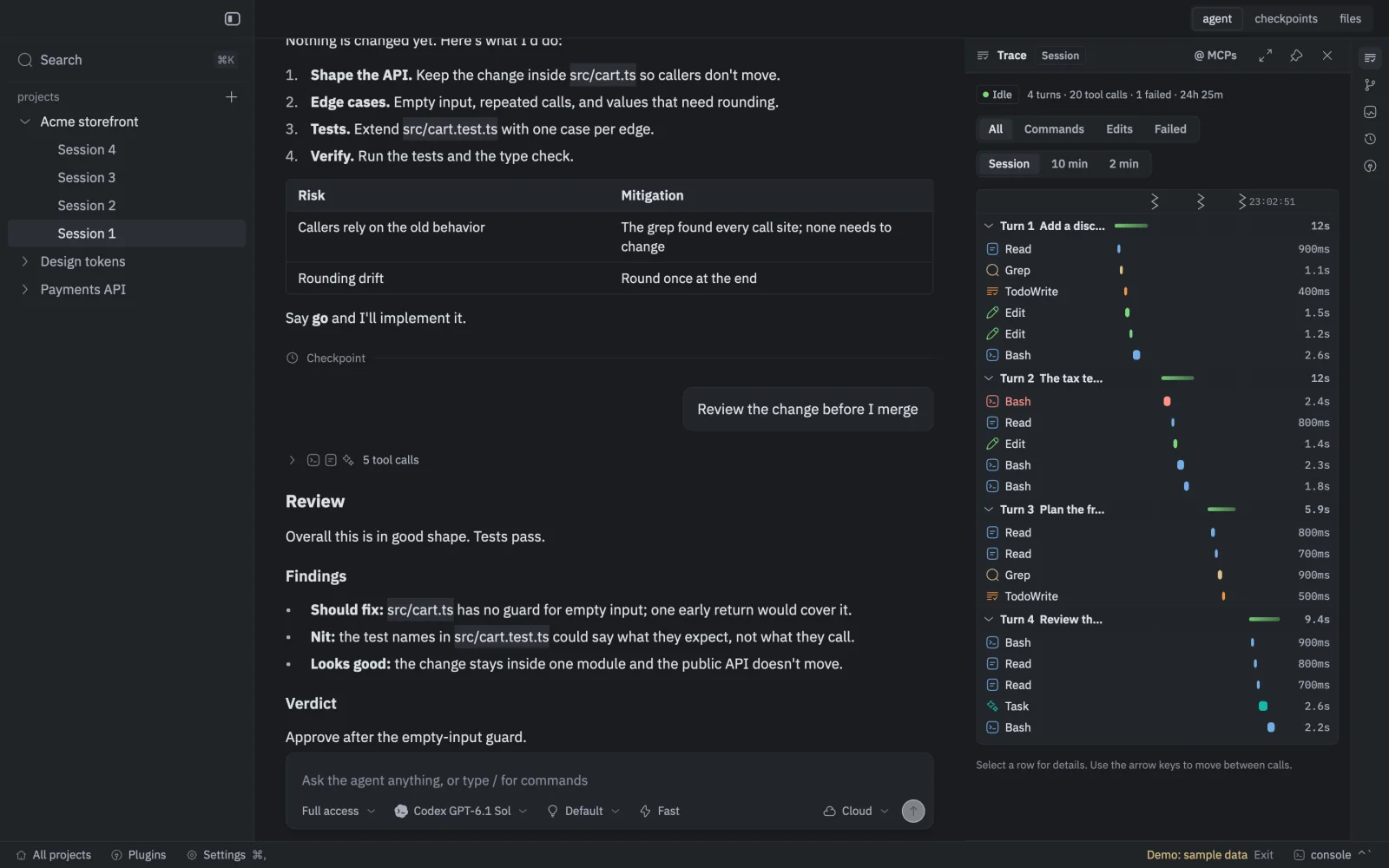
One window for every agent you run, with the plan, the questions, the commands and the saved history in the same place.

Conversations

Agents ask. You decide.

Agents lay out a plan before they touch code and stop to ask when the choice is yours. Commands wait for Allow or Deny, right in the thread.

  • Multiple-choice questions, with room for your own answer
  • Allow each command once, or deny it
  • Plans, goals and tool calls shown as they happen
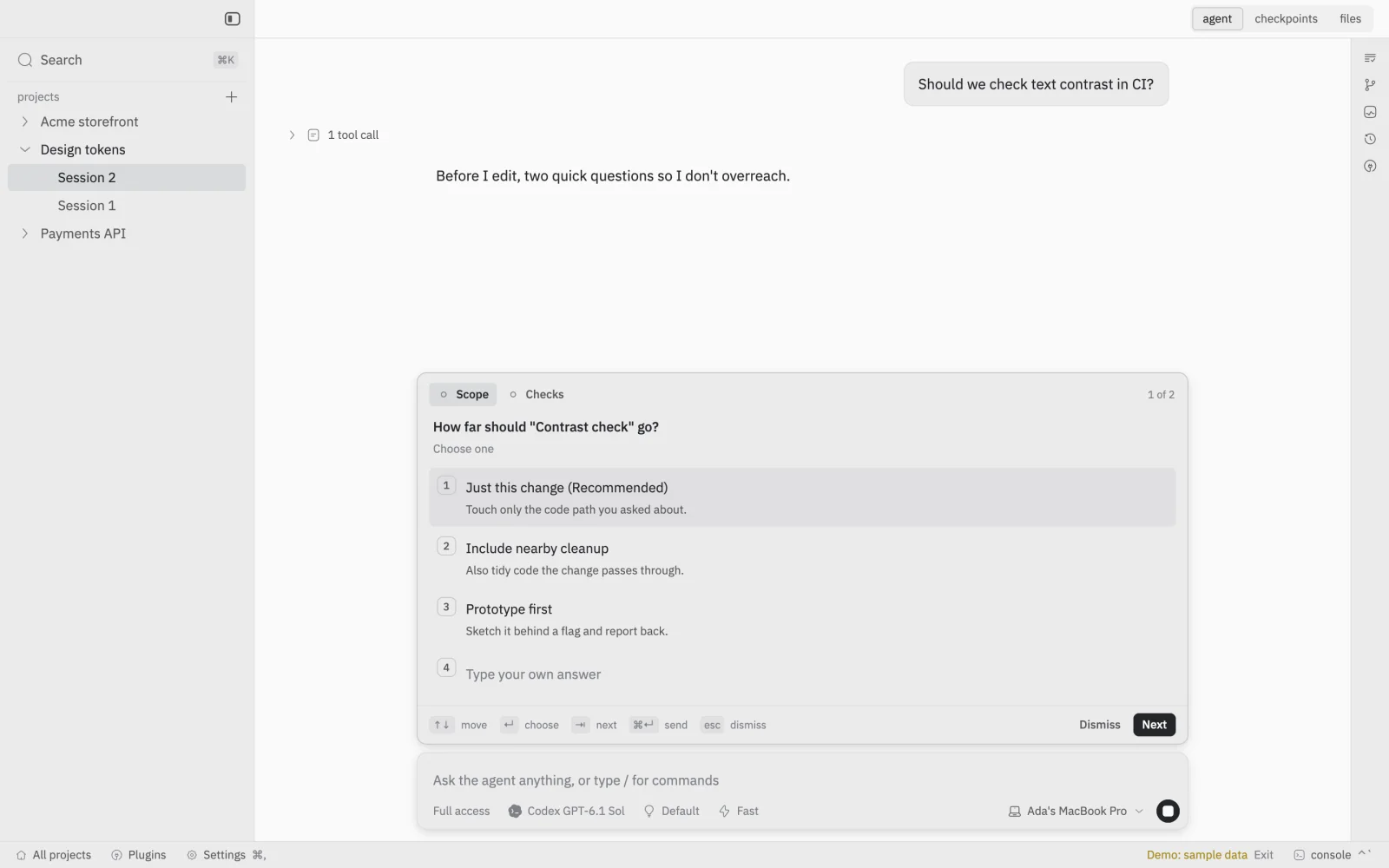
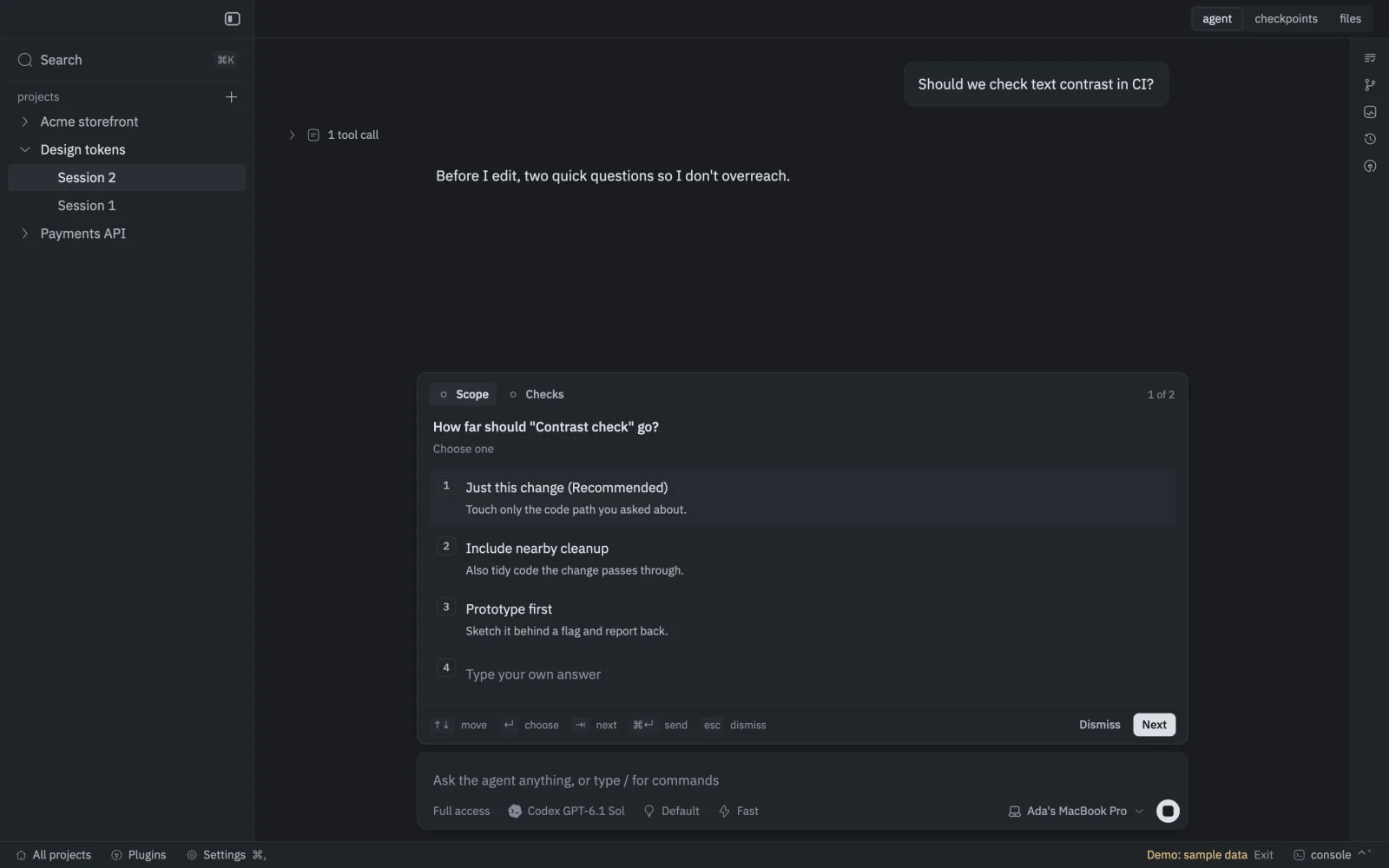
An agent asking two multiple-choice questions before it edits, with a recommended answer and room to type your own.An agent asking two multiple-choice questions before it edits, with a recommended answer and room to type your own.
Checkpoints

Every turn is saved.

When a turn changes code, GetBranchIt saves the files and the conversation together. Step back through checkpoints, compare any two, and see exactly what changed.

  • A checkpoint after every turn that changes files
  • File-by-file diffs between any two checkpoints
  • Saved the same way on your Mac and in the cloud
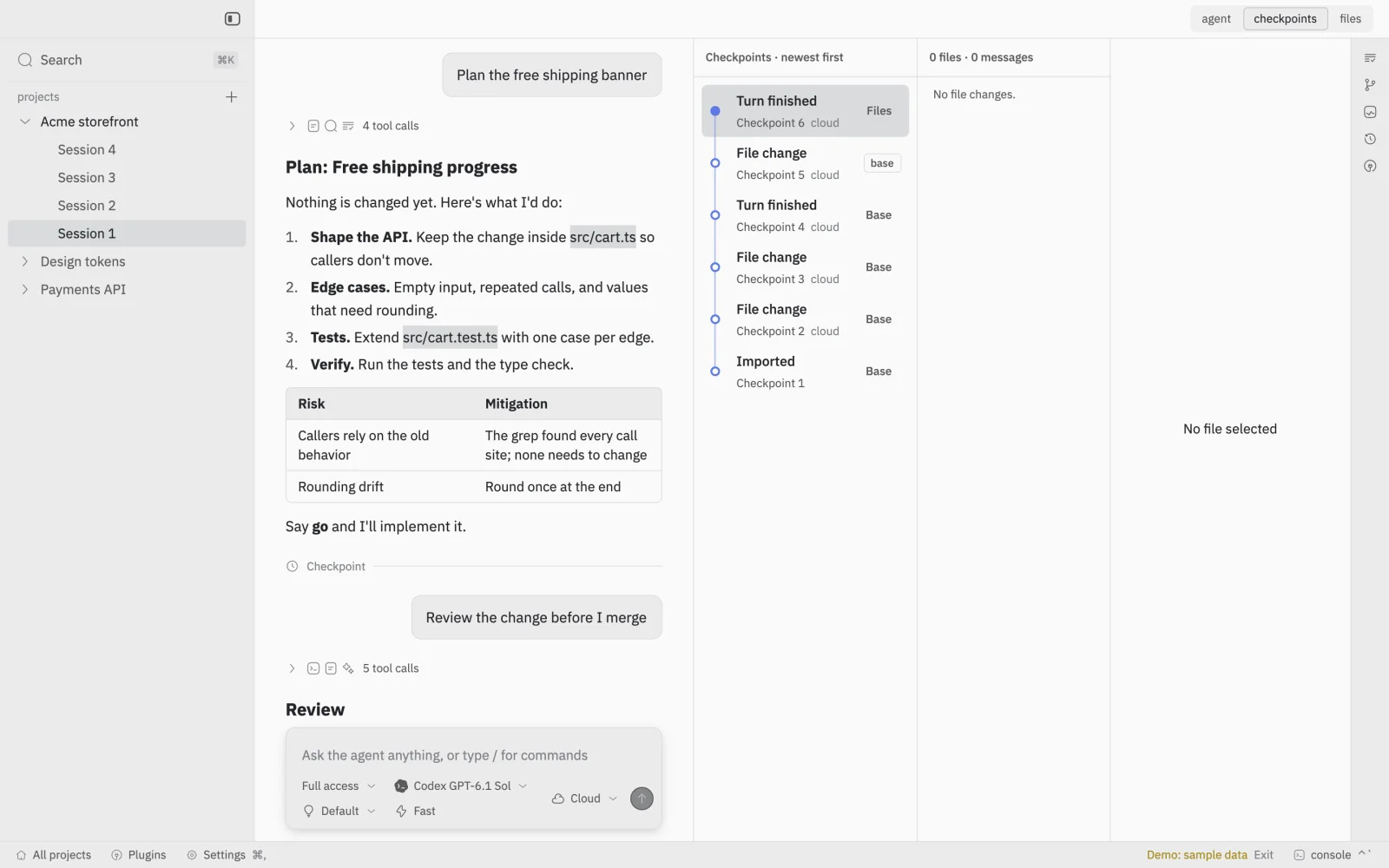
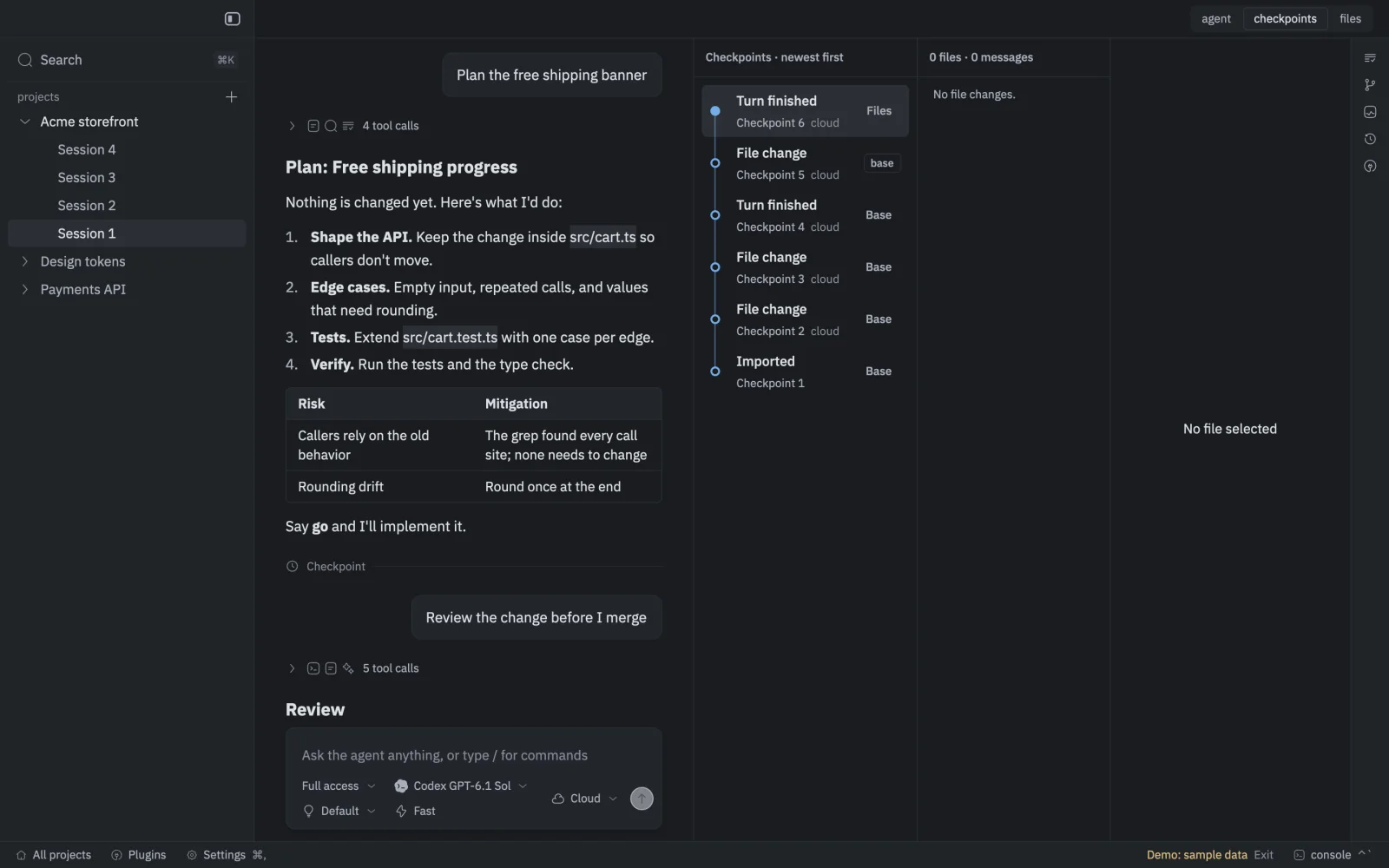
The Checkpoints panel listing six saved checkpoints beside the conversation, newest first.The Checkpoints panel listing six saved checkpoints beside the conversation, newest first.
Run anywhere

Start here. Finish anywhere.

Run a session on this Mac, in a cloud sandbox, or on a Mac or Linux machine you enroll. Move it mid-task: the session brings its files, history and conversation, and only one place writes at a time.

  • Cloud sandboxes start from the exact saved commit
  • Files changed on both sides are shown before you continue
  • Enrolled Mac and Linux machines are in early testing
Extensions

Extensions that see the whole session.

Extensions are written in TypeScript and drawn by the app itself, with the same icons, fonts and theme as everything else. Dock one beside a session, pin a few together, or let one fill the window.

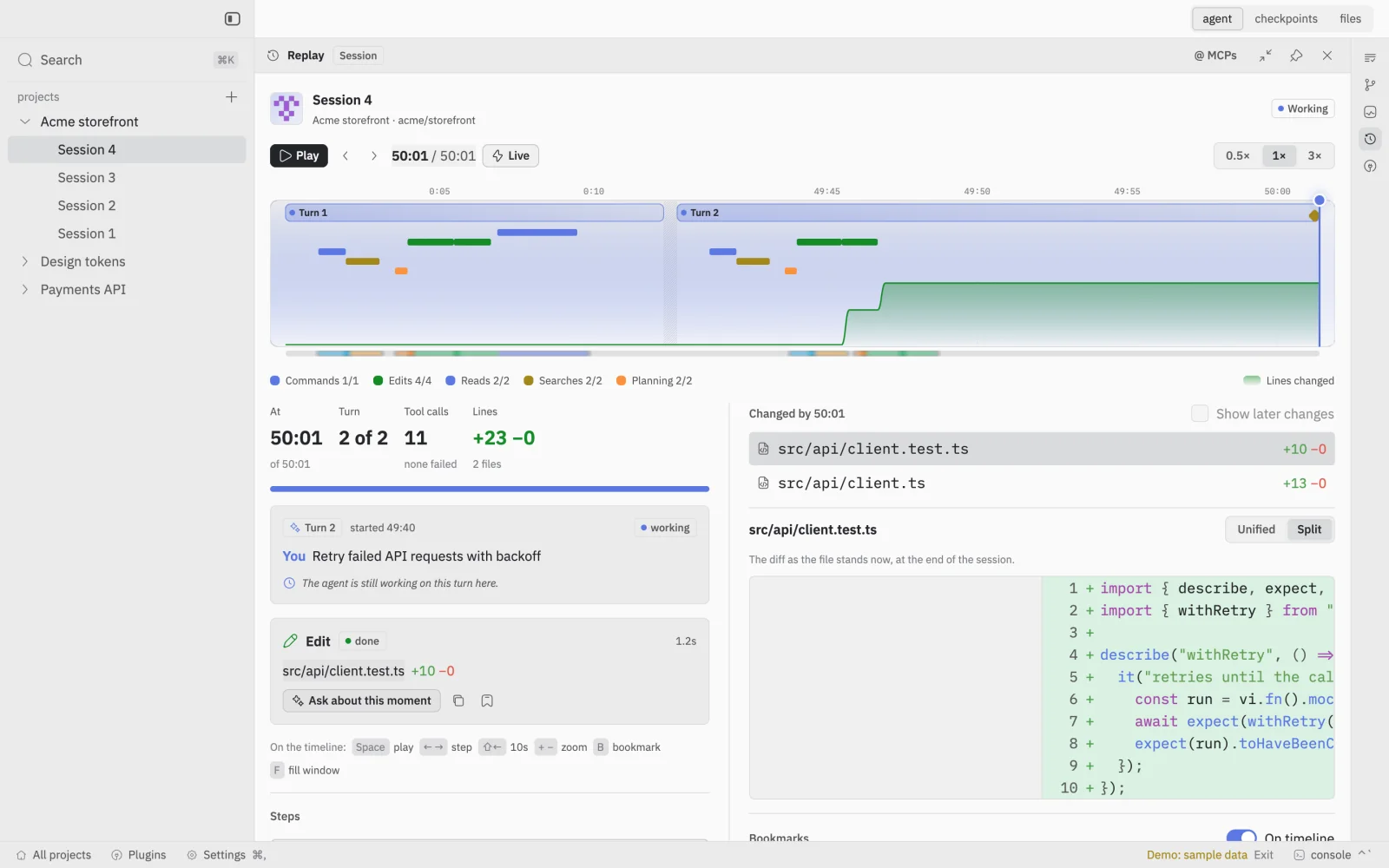
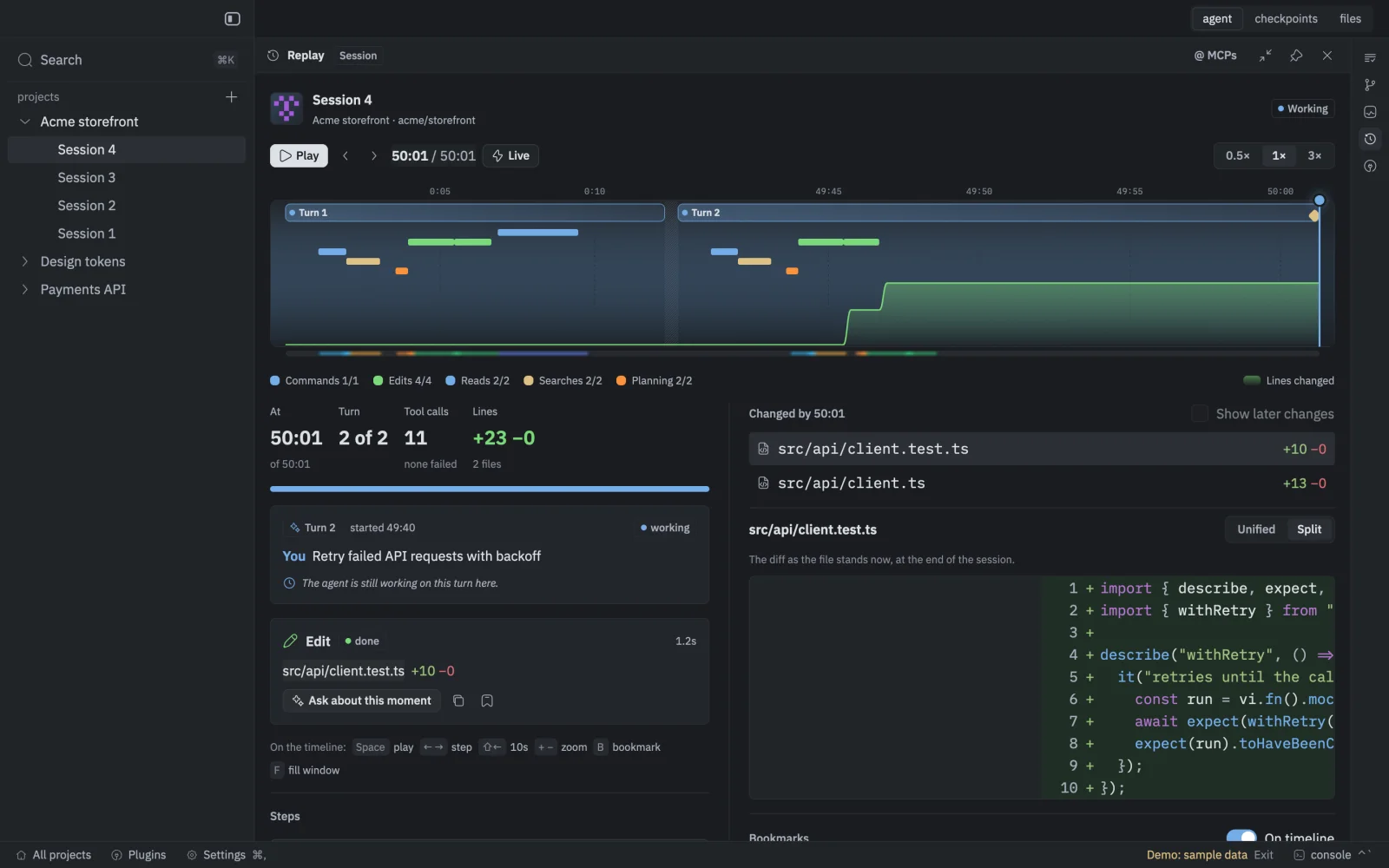
The Replay extension filling the window: a timeline of two turns with tool calls, lines changed over time, and the diff as of the playhead.The Replay extension filling the window: a timeline of two turns with tool calls, lines changed over time, and the diff as of the playhead.

Four ship with the app.

  • ReplayThe session as a timeline.
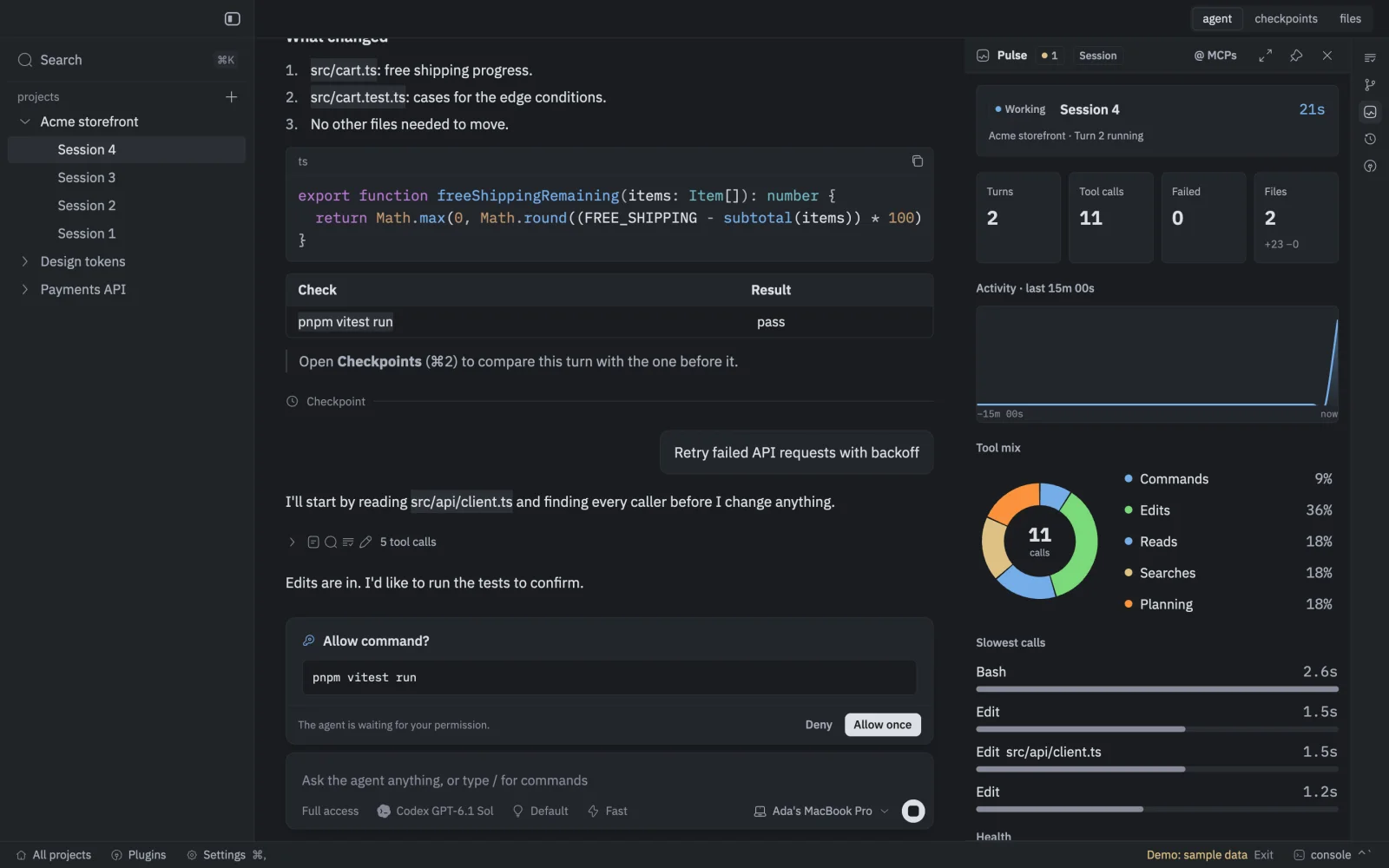
  • PulseLive health and activity.
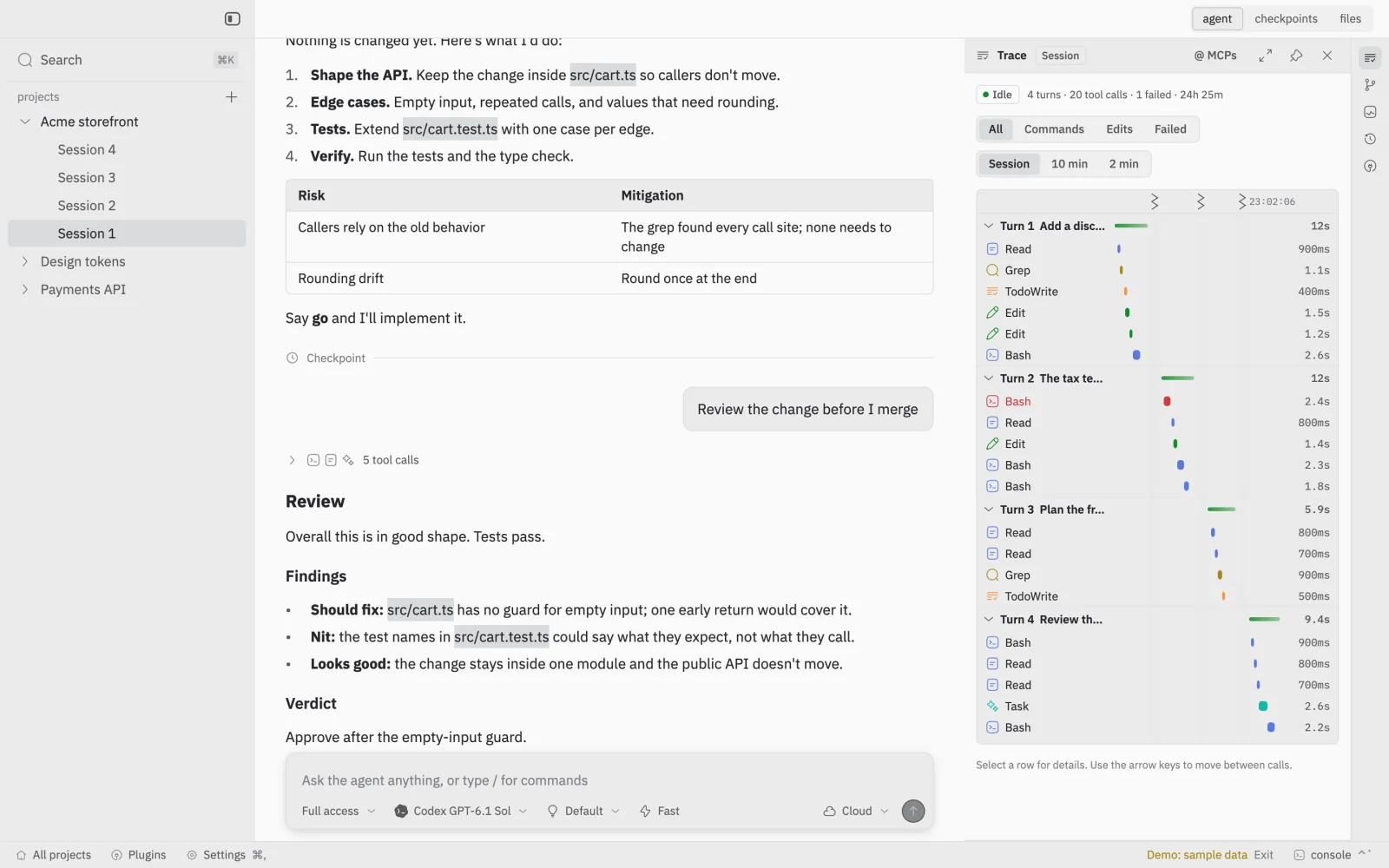
  • TraceEvery tool call, timed.
  • ReviewRead changes or a pull request and leave a verdict.

Each one reads the live session through the same typed SDK. Loading your own extensions isn't available yet.

pulse.ts
import { defineExtension } from "@getbranchit/extensions";export default defineExtension({  id: "pulse",  title: "Pulse",  setup(api) {    // Runs again whenever the live session changes.    api.view((ui, { session }) => {      if (session === null) return;      ui.row({ gap: 8 }, () => {        ui.stat("Turns", String(session.turns.length));        ui.stat("Tool calls", String(session.tools.length));      });    });  },});
Make it yours

Quiet by default. Yours in a minute.

  • Themes

    Delta One and Graphite, each in light and dark, following your Mac.

  • Fonts

    Seven interface and seven code fonts, from IBM Plex Sans and Inter to Lilex, JetBrains Mono and Paper Mono.

  • Reading width

    Center the conversation, set its width, and size prose and code separately.

  • Keyboard first

    Search on ⌘K, checkpoints on ⌘2, and a shortcut for every panel.

  • Connections

    Add MCP servers and secrets once in Settings. Every tool call asks first.

  • Your providers

    Sign in to Claude, Codex or Pi and pick the model for each session.

CLI

Agents can drive it too.

The getbranchit CLI gives any agent with a shell the same sessions and checkpoints as the app: 64 commands, JSON in and out, with schemas and dry runs built in.

Read the CLI docs →
zsh — getbranchit

getbranchit commands; getbranchit sessions --project PROJECT_ID; getbranchit start-agent --input agent.json --wait; getbranchit submit --input turn.json --wait; getbranchit history --input history.json

Principles

How it's built.

  1. 01

    One writer at a time.

    Each session has exactly one place that can write to it. Moving a session fences the old place out first, so two copies never overwrite each other.

  2. 02

    Saved before it's said.

    A checkpoint is reported only after it is durably stored. Every operation has an ID, so a retry returns the original result instead of a duplicate.

  3. 03

    You hold the gates.

    Agents ask before commands run. Review saved diffs and publish with your normal Git workflow.

  4. 04

    Secrets stay out of agent compute.

    Your GitHub access and connection credentials stay in macOS Keychain and trusted services. Agent workspaces never receive them.

Bring your agents home.

We invite developers in small waves, starting with people who already ship with more than one agent.

Private beta. Use the Google email you want to sign in with.

Already approved? Download the app